
Once a website goes live, it can seem like the job is done. In reality, software gets updated, security vulnerabilities come to light, and certificates and domains expire. Website maintenance means handling these tasks regularly and according to a plan. In this article we explain what can happen without maintenance and which tasks a maintenance plan should cover.
What Happens Without Maintenance?
An unmaintained site doesn't suddenly break one day. Problems pile up quietly. A plugin becomes outdated, a form stops working, pages slow down. By the time anyone notices, customers or data have often already been lost.
Common consequences include:
- Malicious code being planted on the site through vulnerabilities in outdated software
- Forms or the checkout step not working, and inquiries getting lost
- The browser showing a "not secure" warning once the SSL certificate expires
- The site going down entirely because the domain wasn't renewed
- Content that can't be restored after an error because there was no backup
- Pages slowing down and slipping in search results
Most of these problems can be caught early with regular website maintenance. The cost of fixing them also stays much lower when they're caught before they grow. Cleaning up after an attack or re-entering lost data always takes more effort than planned checks.
Why Do Software and Plugin Updates Matter?
Every site runs on software. It might be a content management system, a framework or custom code. On top of that, there are plugins, themes and server software.
Updates bring security fixes as well as new features. But no update should be applied blindly. A new version of one plugin can break another part of the site. That's why updates should be applied after taking a backup and, where possible, after testing in a staging environment.
Is It Different for Custom Software?
Custom-coded sites have fewer plugins, but the libraries they use and the programming language version still need to be kept up to date. Staying on a language version that's no longer supported creates a serious security risk over time.
How Should Backups Be Done?
A backup is the only safe point you can return to when something goes wrong. A good backup plan answers three questions: what is backed up, how often, and where is it stored?
- Scope: Files, the database and uploaded images should be backed up together.
- Frequency: Sites whose content changes often or that take orders should be backed up more frequently.
- Location: Backups should also be stored somewhere separate from the server the site runs on.
- Testing: Restoring from backup should be tested regularly.
The last point is critical. You can't know whether a backup that has never been tested will actually work.
You should also decide how far back backups will be kept. Sometimes a problem is only noticed days later. A setup that keeps only the latest backup may have preserved the corrupted data in that case.
What Do Security Scans and Uptime Monitoring Cover?
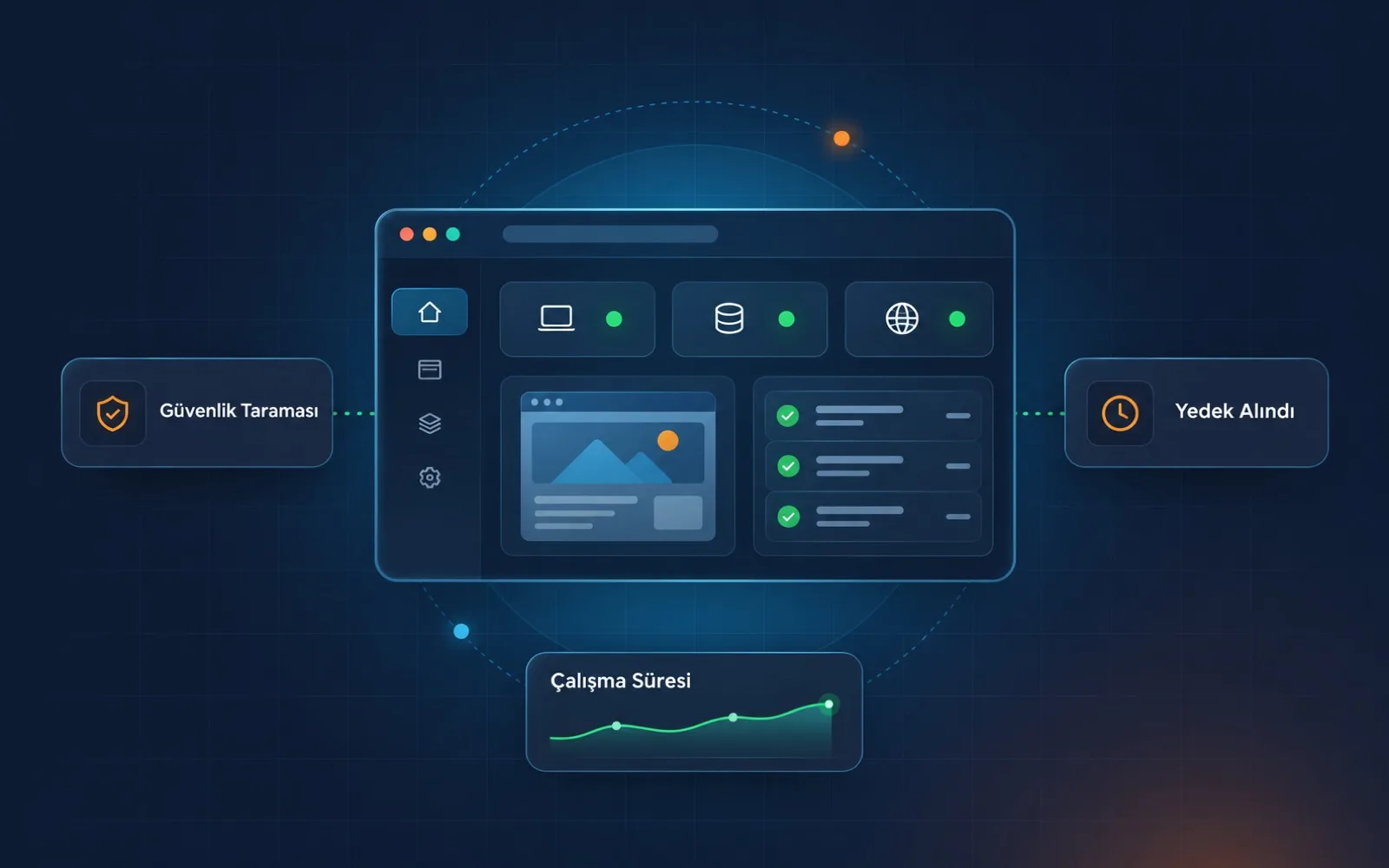
A security scan checks the site for malicious files, suspicious code or known vulnerabilities. Beyond that, password security for admin accounts, removing unnecessary users and limiting login attempts are also part of maintenance.
Uptime monitoring checks at set intervals whether the site is up. When the site doesn't respond, the right person is notified. That way you hear about the problem from the monitoring tool, not from a customer.
Server-side tasks shouldn't be forgotten either. Disk usage, memory usage and whether server software is up to date should be checked regularly. We cover this separately under server management and optimization.
Is Speed Tracking Part of Maintenance?
Yes. A site may be fast on the day it launches, but it slows down over time. Large newly added images, accumulated database records and extra code all weigh pages down.
Regular speed measurement catches this slowdown early. Core Web Vitals scores can be tracked through Search Console. We explain how to measure and improve them in our website speed guide. If there's a serious slowdown, a website speed optimization project beyond routine maintenance may be needed.
Content Updates and Small Edits
Maintenance isn't made up of technical tasks alone. A phone number changes, a new service is added, the team photo gets refreshed. Requesting a separate quote every time for these small jobs slows things down.
Many maintenance plans set aside a certain amount of time each month for content and small edits. That way text changes, image updates and new pages get done without delay. Checking for broken links and pages that return errors can also fall under this scope.
Outdated information gives visitors the impression that the site has been abandoned. Old campaign announcements, past-dated news and services you no longer offer should be reviewed regularly. A short content review once a quarter may be enough for this.
Why Should SSL and Domain Renewals Be Tracked?
An SSL certificate encrypts the connection between the site and the visitor. When it expires, browsers show a warning and visitors' trust in the site is shaken. Even auto-renewing certificates sometimes fail to renew because of a configuration error.
The domain carries a similar risk. If the renewal date is missed, the site and email service can go down together. That's why domain and certificate dates should be kept on a calendar and renewals checked in advance. It should also be clear whose account the domain is registered under.
What Questions Should You Ask When Choosing a Maintenance Plan?
Maintenance plans may look similar by name, but their contents can be very different. We recommend asking these questions before signing a contract:
- Which tasks are included in the plan, and which are billed separately?
- How often are backups taken, and where are they stored?
- Are updates tested before being applied?
- If the site goes down, how quickly is there a response?
- Is a set amount of time reserved each month for content edits?
- Is a regular report shared?
- If the contract ends, are the backups and access credentials handed over to you?
Price varies with the size of the site, the platform it runs on and the response time you need. We cover the factors that affect the initial build cost of a site in our article on website pricing. It's wise to plan the maintenance budget together with the initial build budget.
What Should a Maintenance Report Include?
A regular report makes the work visible. It should include the updates applied, the backups taken, any security issues detected and downtime records. Speed measurements and content changes can also be added. When signing up for website maintenance services, asking for a sample report is an easy way to understand what the plan really covers.
If your site's design is very old and maintenance costs keep rising, a redesign is also an option. In that case, corporate web design can set up an easy-to-maintain structure from the start.
Frequently Asked Questions
- Does a small brochure site need maintenance too?
Yes. Small sites are affected by the same software vulnerabilities. Even if content rarely changes, updates, backups and SSL tracking still need to be done. - Doesn't the hosting company handle maintenance?
Hosting companies are generally responsible for keeping the server running. The site's software, plugins and content are usually your responsibility. Check your contract. - Can we handle maintenance ourselves?
If you have a team member with technical knowledge, they can handle the basics. But testing backups and keeping up with security takes regular time. - How often should maintenance be done?
Monitoring should be continuous. Updates and checks can be scheduled weekly or monthly depending on how the site is built. - What happens if the site is attacked?
First the site is put under protection, the malicious code is cleaned up and it's restored from a clean backup. Then the source of the vulnerability is found and closed. - What is the difference between maintenance and new development?
Maintenance keeps the existing site running smoothly. Adding a new module, a new page structure or an integration is development work and is usually planned separately.
Conclusion
A website pays off when it's treated as a tool that gets regular attention. Updates, backups, security, speed and renewal tracking are small tasks, but they require consistency. When website maintenance is neglected, problems show up at the most unexpected moment. If you'd like to hand off the regular upkeep of your site to a team, take a look at our website maintenance and technical support service.
Author
Enes Şahin
Writes on the Hun Digital blog