
Today, a corporate website is a business's first and most important representative in the digital world. Having an elegant design isn't enough on its own; the website also needs to be technically sound, fast and user-friendly. So what does a truly effective corporate website look like for your business? In this guide, we take a holistic look at every critical requirement, from design to technical infrastructure and from SEO to conversion optimization, for companies planning to build a new website or redesign their existing one.
What Is a Corporate Website? Key Differences for Businesses
A corporate site is a digital platform that presents your brand identity, showcases your services and products in detail, and turns visitors into customers. It goes beyond a standard brochure page, offering up-to-date content, strong search engine visibility, conversion-focused structures and trust signals. Its core purpose is to reflect your brand value fully online and strengthen your corporate communication.
What Should a Corporate Website Have? Core Requirements
A successful corporate site stands out with a modern, professional design, mobile compatibility, fast loading, high security standards, a strong content management system, a technical SEO foundation and sustainable maintenance processes. Navigation should be easy for everyone to understand, users should be able to reach information quickly, and the website should work consistently on every device.
Key Features of Professional Corporate Web Design
Corporate web design that reflects a strong brand identity starts with the deliberate use of colors, typography and visual components.
- Brand Identity and Color Use: The chosen colors should match your logo and corporate palette.
- Typography: Choose fonts that are readable, consistent and look sharp on screen.
- Visual Hierarchy: Headings, images and buttons that need to stand out should create a clear flow.
- Component Consistency: Menus, buttons and card elements should be consistent across pages.
- Readability: Proper spacing and a clean content layout keep visitors from getting fatigued.
Why Does a Mobile-Friendly Website Matter?
More and more visitors reach websites from mobile devices every day. Responsive design ensures the website displays smoothly on different devices such as smartphones, tablets and computers. Navigation should be comfortable to use on touchscreens, menus should open easily and form fields shouldn't overflow. Mobile compatibility isn't just about user experience; it's also a requirement for search engine visibility. For more details, see our Corporate Web Design service.
How Should User Experience (UX) Be Designed?
- Menus and Information Architecture: All headings and transitions should be clear, and key content should be reachable in no more than two or three clicks.
- Content Findability: Access to information should be made easy with search, filtering and a category structure.
- Form Design: Forms should be short, clear and free of unnecessary fields.
- User Journey: How a visitor will reach information about a service or product should be clearly mapped out.
Which Pages Should a Corporate Site Include?
- Homepage: Creates the first impression and presents your main message briefly and clearly.
- About Us: Covers your corporate identity, vision and team (see our About Us page).
- Services and Service Details: Each service should be explained in detail on its own.
- Projects / References: Only include real projects you have permission to share.
- Blog: Necessary for content production and SEO.
- Contact: Should be easy to find and include a short form and a map.
- Legal Information: KVKK (Turkey's Personal Data Protection Law) notices and other legal texts should be presented clearly and in line with the relevant laws.
How to Build an SEO-Friendly Corporate Website
SEO affects how search engines index your website and present it to users. Working with an SEO service helps you build a structure that meets technical and content standards.
- Heading Tags (Title, H1-H3): Hierarchy and keyword use should be clear.
- Meta Descriptions: Every page should have its own description.
- URL Structure: URLs should be short, descriptive and readable.
- Internal Links: Logical links that guide users and search engines to related content (e.g. Technical SEO Consulting).
- XML Sitemap and robots.txt: Help search engines crawl the site.
- Indexability: There should be no technical barriers preventing pages from appearing in search results.
An SEO-friendly foundation gives you an advantage in organic rankings and customer acquisition, but no SEO work can promise guaranteed results. For more information, you can also read our post What Is SEO? How Do You Do It?
Site Speed and Core Web Vitals
Website performance directly affects user satisfaction. The Core Web Vitals metrics are:
- LCP (Largest Contentful Paint): Measures how quickly the main image or text loads.
- INP (Interaction to Next Paint): Evaluates how responsive the page is to interactions.
- CLS (Cumulative Layout Shift): Shows visual shifts that occur while the page loads.
To improve performance, images should be compressed, caching should be used effectively, unnecessary JavaScript should be reduced and server response time should be optimized. For speed optimization, you can take advantage of our Website Speed Optimization service.
Website Security
- HTTPS: Mandatory to keep data transmission encrypted and secure.
- Up-to-Date Software: The system, components and plugins should always be kept up to date.
- Authorization and Access Controls: Administrator and editor permissions should be separated.
- Secure Forms: Data validation security should be a priority.
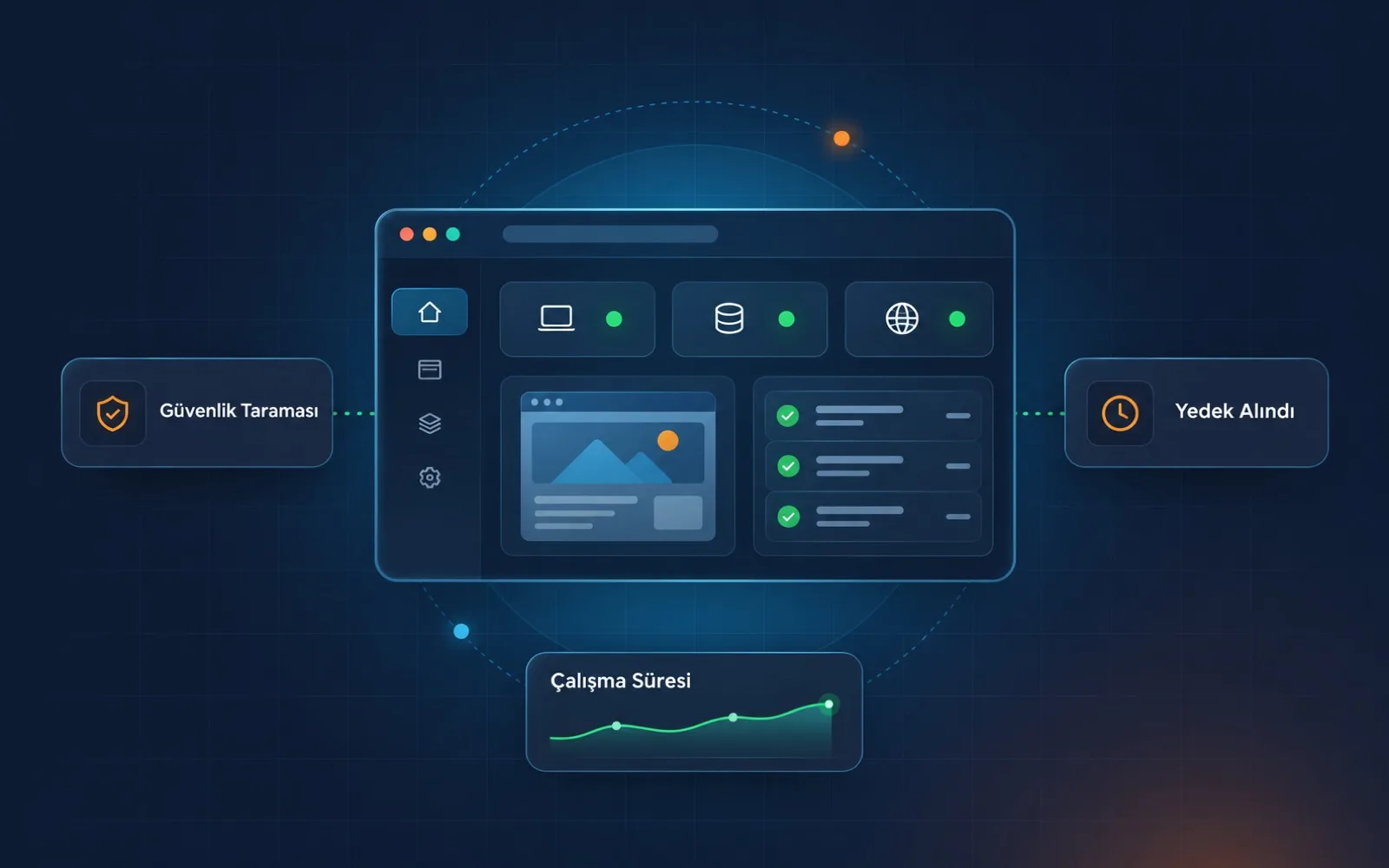
- Backups: Regular backups are needed in case of data loss.
HTTPS is a basic requirement, but full security also requires up-to-date software and regular maintenance. For details, take a look at our Website Maintenance and Technical Support service.
Why Does a Content Management System (CMS) Matter?
A functional content management system on a corporate website lets you make updates quickly, add or remove services, blog posts or pages, and manage user permissions easily. Ideally, the admin panel should be user-friendly and require no extra technical knowledge for basic content edits. For advanced needs, you can turn to our Admin Panel Development service.
Ready-Made Theme or Custom Web Design?
Websites built with a ready-made theme are generally a fast, low-cost solution. However, businesses looking for flexibility and brand differentiation, or that need custom functions, may prefer a custom-designed CMS or custom software. For projects that require advanced customization, integrations or high-end performance, a custom software development approach comes to the fore (Custom Software Development).
WordPress or Custom Software?
WordPress stands out for its widespread use and large plugin ecosystem, and it can be extended with developer support. Custom software built with tools like Laravel or Next.js is preferred for projects with specific needs that demand high traffic capacity, advanced functionality and security. The right approach should be determined by the business's industry, integration requirements and ease of content management.
Conversion Optimization
For effective conversions:
- Quote and Contact Forms: Should be short, clear and easy to fill out.
- Calls to Action (CTAs): Use buttons and copy that guide the user clearly.
- Service Details: Service pages should be detailed and informative.
- Trust Signals: Legal information, company address, contact channels and any certifications/awards should be clearly displayed.
Multilingual Site Requirements
- Language Structure and URL Organization: Use a separate, descriptive URL structure for each language.
- hreflang Usage: Helps search engines serve pages in the correct language.
- Translation Quality: Copy should be translated professionally; don't rely entirely on automated tools.
- International SEO: For search visibility in different regions, consider the keyword and content structure of each language.
The Corporate Website Build Process, Step by Step
- Needs Analysis: The target audience and service expectations are clarified.
- Design: Prototypes, colors and components are defined.
- Software Development: The site's infrastructure is coded and integrations are completed.
- Content Preparation: Copy and images are uploaded.
- Testing and Optimization: Final checks, mobile compatibility and speed tests are carried out.
- Launch and Maintenance: After the site goes live, regular maintenance is provided (more information: Website Maintenance and Technical Support).
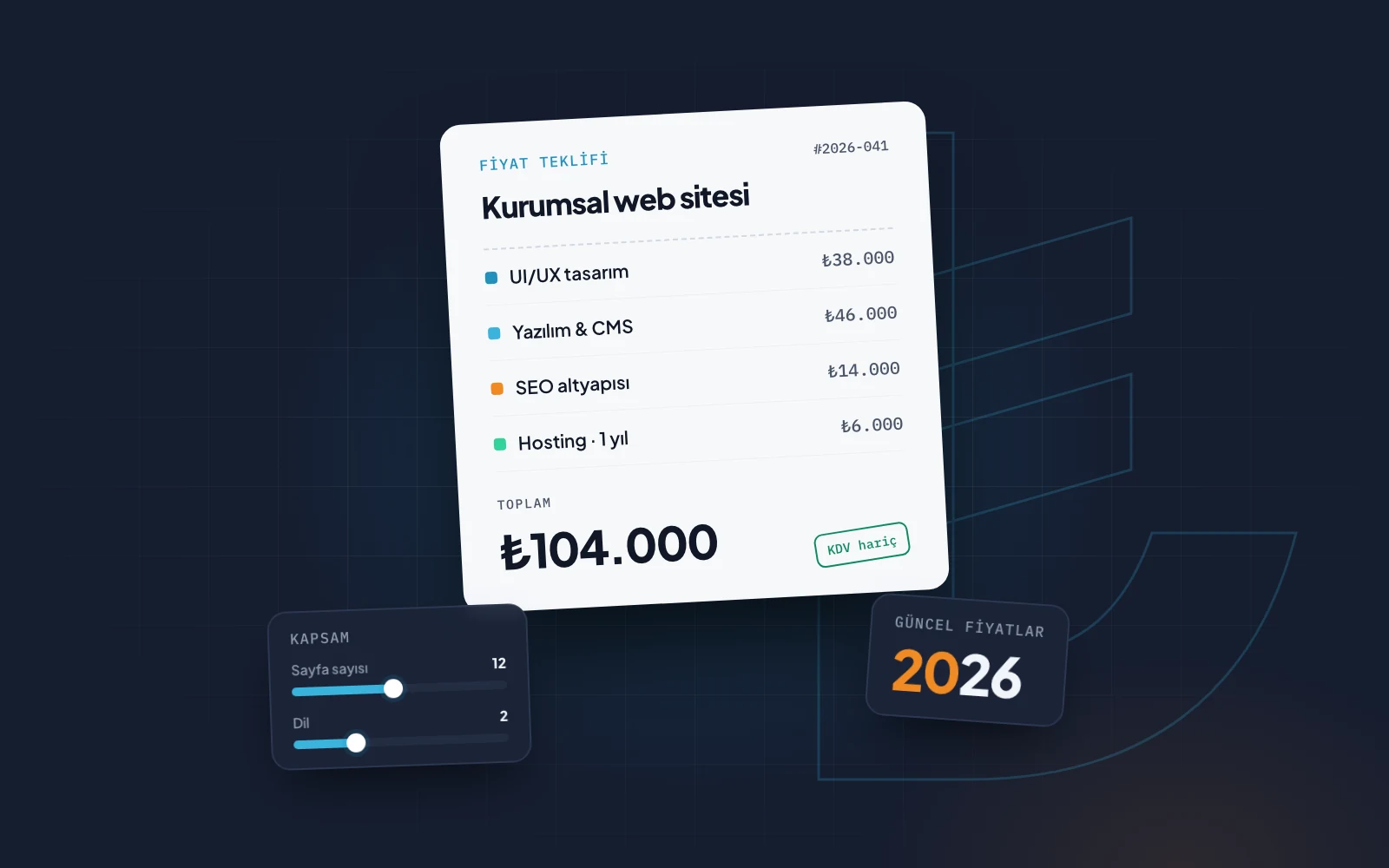
Factors That Affect Corporate Website Pricing
- Design Scope: Custom design or a ready-made theme.
- Number of Pages and Content: Main page and subpage requirements.
- Multiple Languages and Custom Modules: Additional languages and extra functions.
- API and System Integrations: Needs for connections to external software (e.g. API and System Integrations).
- SEO and Technical Support: SEO compatibility, speed optimization and maintenance needs.
For detailed pricing information, see our guide Website Cost in 2026.
Common Mistakes When Getting a Website Built
- Focusing only on appearance and neglecting infrastructure and user experience
- Ignoring the mobile experience
- Leaving SEO requirements unplanned
- Choosing a slow or outdated platform
- Not planning for maintenance, support and updates
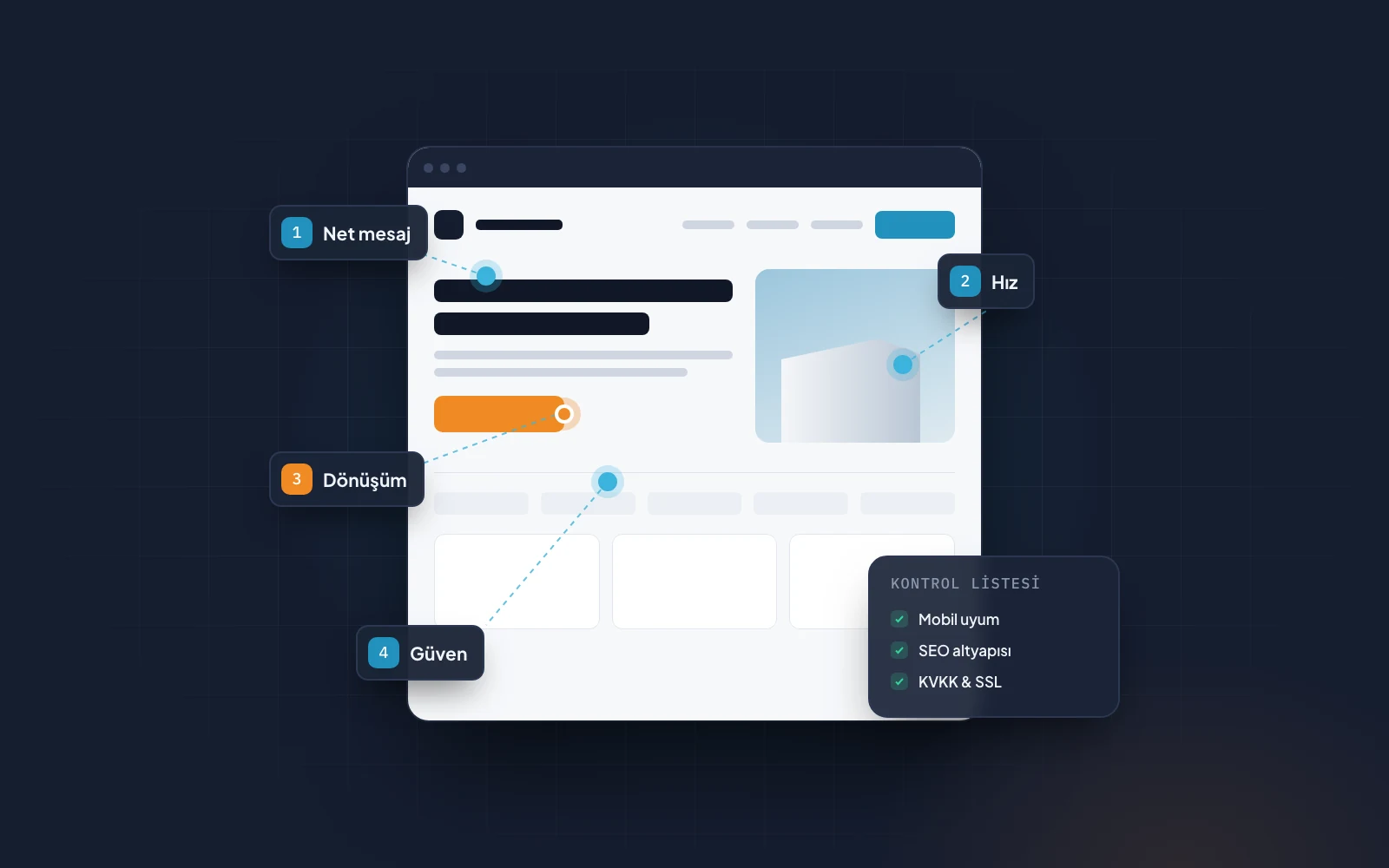
Corporate Website Checklist
- Does it open smoothly and quickly on all devices?
- Are the main menu and subheadings easy to find?
- Are page URLs short and descriptive?
- Do the service and contact forms work?
- Is the HTTPS/SSL certificate active and current?
- Are SEO titles and meta descriptions in order?
- Are the contact, KVKK and legal pages in place?
- Are regular backups and maintenance being carried out?
- Are server performance and security measures up to date?
- Can content updates be made easily?
Comparison Table: Ready-Made Theme, Custom Design and Custom Software
- Upfront Cost: A ready-made theme generally costs less. Custom design and custom software vary by scope and needs.
- Design Freedom: Custom solutions offer full flexibility; ready-made themes are limited.
- Content Management: CMS-based solutions make management easy; with custom software, the process is designed around you.
- Custom Functions: They may not be easy to add to a ready-made theme; with custom development, everything can be tailored.
- API Integrations: Usually easy to achieve with custom software and a CMS.
- Performance Optimization: Custom development offers the most room for optimization.
- SEO Control: A CMS and custom software give you more detailed control.
- Security and Maintenance: Ready-made themes and CMSs offer practical solutions backed by community support; custom software requires dedicated maintenance and security monitoring.
- Scalability: Custom software comes to the fore for significant growth. A CMS may be enough for SMBs.
- Long-Term Total Cost: A ready-made theme costs less at the start; custom software can be a long-term investment.
For many SMBs, an advanced CMS or a well-configured WordPress site may be sufficient. However, businesses that need custom processes or integrations tend to choose custom design or custom software.
Example Scenarios: The Right Website Setup for Different Businesses
Scenario 1 — Local Service Business
- Core Pages: Homepage, services, about us, references (if any), contact, KVKK
- Technical Features: Mobile compatibility, fast loading, a simple admin panel, basic SEO foundation, a secure contact form
- Development Approach: A CMS-based, customized ready-made theme or a basic WordPress setup can be recommended.
Scenario 2 — B2B Manufacturing Company
- Pages: Homepage, product/service catalogs, a technical documents section, about us, dealer application form, FAQ, multilingual support
- Technical Features: Multilingual structure, comprehensive content management, dealer and customer panels, file sharing
- Development Approach: An advanced CMS or a customizable, modular Laravel-based platform is recommended. API integrations and an admin panel may be important.
Scenario 3 — Corporate Services Firm
- Pages: Homepage, detailed service pages, blog, contact, advanced forms, and SSR-based technology if truly required
- Technical Features: SEO-focused setup, fast-loading pages, integrated CRM, API connections
- Development Approach: Custom software built with Laravel, React or Next.js, or a custom-designed CMS, may be preferred. For integrations, review our API and System Integrations and Custom Software Development services.
Frequently Asked Questions
- What's the difference between a corporate website and a basic brochure site? A corporate site is a more advanced digital platform with comprehensive, updatable content and SEO and security requirements.
- Why is mobile compatibility critical? Because most visitors access sites from mobile devices, it matters for both user experience and visibility in search results.
- Does an SEO-friendly site guarantee top rankings? No. Applying SEO techniques gives you an advantage, but no platform on its own guarantees organic rankings or customer acquisition.
- Is a ready-made theme or custom development better? It depends on the business's needs. A ready-made theme is a fast, economical solution; custom development offers flexibility and room to grow.
- What stages are needed to redesign my website? You should follow a process of needs analysis, design, development, content, testing and launch, followed by maintenance.
- Why are maintenance and technical support important? They must be provided regularly for software currency, security, performance and long-term sustainability.
Conclusion: A Corporate Website Is the Foundation of Your Digital Investment
A well-planned corporate site is more than a digital business card. It supports brand communication, user experience and customer acquisition as a whole. Design, SEO foundations, security, mobile compatibility and sustainable maintenance are the building blocks of a solid digital presence. For anyone looking to build or redesign a website, platform flexibility and currency matter just as much as functionality and a user-friendly experience.
If you've decided to build a new site or analyze your existing one, take a look at our Corporate Web Design and Custom Software Development services. Get in touch with our expert team for a strong, sustainable website that fits your needs.
Author
Enes Şahin
Writes on the Hun Digital blog