
In the business world, efficiency and speed are becoming more critical to competitive advantage every day. With the growing burden of repetitive work and the rise of data-driven decisions, companies need more flexible and intelligent technologies. The rise of AI automation in business processes is opening up many new possibilities for streamlining day-to-day operations. In this guide, we look at what AI automation means, where it delivers value, and how you can transform your processes with the right integration.
What Is AI Business Automation?
AI automation means handing business processes over to machines, partly or fully, using software that relies not only on predefined rules but also on learning and analytical capabilities. In this approach, systems can analyze data, find patterns, produce results and manage complex workflows far more flexibly. The core goal of AI automation is to reduce human error in repetitive, data-heavy work, free up employees' time for higher-value tasks and increase operational efficiency.
How Does Intelligent Automation Work?
This kind of automation process typically consists of the following steps:
- Identifying Data Sources: The source of the data to be processed (database, email, file, web form, etc.) is defined.
- Triggers: The automation process starts when defined conditions are met (e.g. a new invoice is entered).
- AI Models: The appropriate model is brought in for tasks such as natural language processing, image analysis or classifying tabular data.
- API Connections: When needed, the system pulls data from or sends output to other internal or external applications (learn more about API integration).
- Business Rules: You define which tasks run automatically and in which cases human oversight is required.
- Passing On Results: The resulting data or decisions are delivered through integrations to the relevant business applications, reports or tasks.
Traditional Automation vs. AI Automation
When businesses talk about automation, two main approaches usually come up: rule-based automation (e.g. RPA) and AI-powered automation. Below, we compare three different automation methods against key criteria:
- Traditional rule-based automation: Relies on predefined, rarely changing business rules, conditions or simple data processing steps. Errors are easy to spot and it's simple to monitor. However, its flexibility is low.
- AI-powered automation: Goes beyond rule-based processes by adding steps such as data analytics, prediction and classification. It can work with images, text or complex data. The model's output may occasionally need checking.
- AI agents: Intelligent software that carries out multi-step work on its own toward specific goals, gathers data from different tools when needed and learns from human feedback. Their permissions and scope of work must be well defined.
Note: Not every automation need requires AI. For well-defined processes where simple rules are enough, rule-based automation may be the better fit.
Approaches Compared
- How it works: Rule-based automation relies on clear rules; AI automation relies on data and learning; AI agents rely on making decisions across processes.
- Suitable task types: Rule-based: simple, repetitive and well-defined. AI automation: text, document and data classification. Agents: cross-process, multi-step workflows.
- Flexibility: Low for rule-based; high for AI; very high for agents, but they require control.
- Integration needs: Minimal for rule-based; for AI and agents, API connections to various systems are important (API and System Integrations).
- Risk of errors and uncertainty: Low for rule-based; present for AI in proportion to model accuracy; can increase for agents depending on their inferences.
- Need for human oversight: Minimal for rule-based; AI usually requires output review; agents require oversight and permission limits.
- Cost factors: Generally lower for rule-based; model and data costs for AI; higher development and maintenance costs for agents.
- Maintenance and monitoring needs: Minimal for rule-based; AI and agents require performance and security monitoring.
The Benefits for Businesses
- By automating one-off and frequently repeated tasks, employees can focus on more creative work that requires analysis.
- Process steps become standardized, and data and document management across departments gets easier.
- Large volumes of data can be analyzed and reported automatically in a short time.
- Operational visibility improves, with easy access to real-time information and alerts.
- Risks caused by human error decrease and output accuracy improves.
- Customer, supplier and employee satisfaction can increase.
Where Is It Used?
- Sales and marketing: Processing customer data, classifying leads, analyzing feedback, producing campaign content.
- Customer service: Automatic answers to frequently asked questions, fast routing of requests.
- Human resources: Evaluating applications, classifying resumes.
- Accounting: Automatic invoice processing and data validation.
- Ecommerce: Product descriptions, sorting customer questions, catalog management.
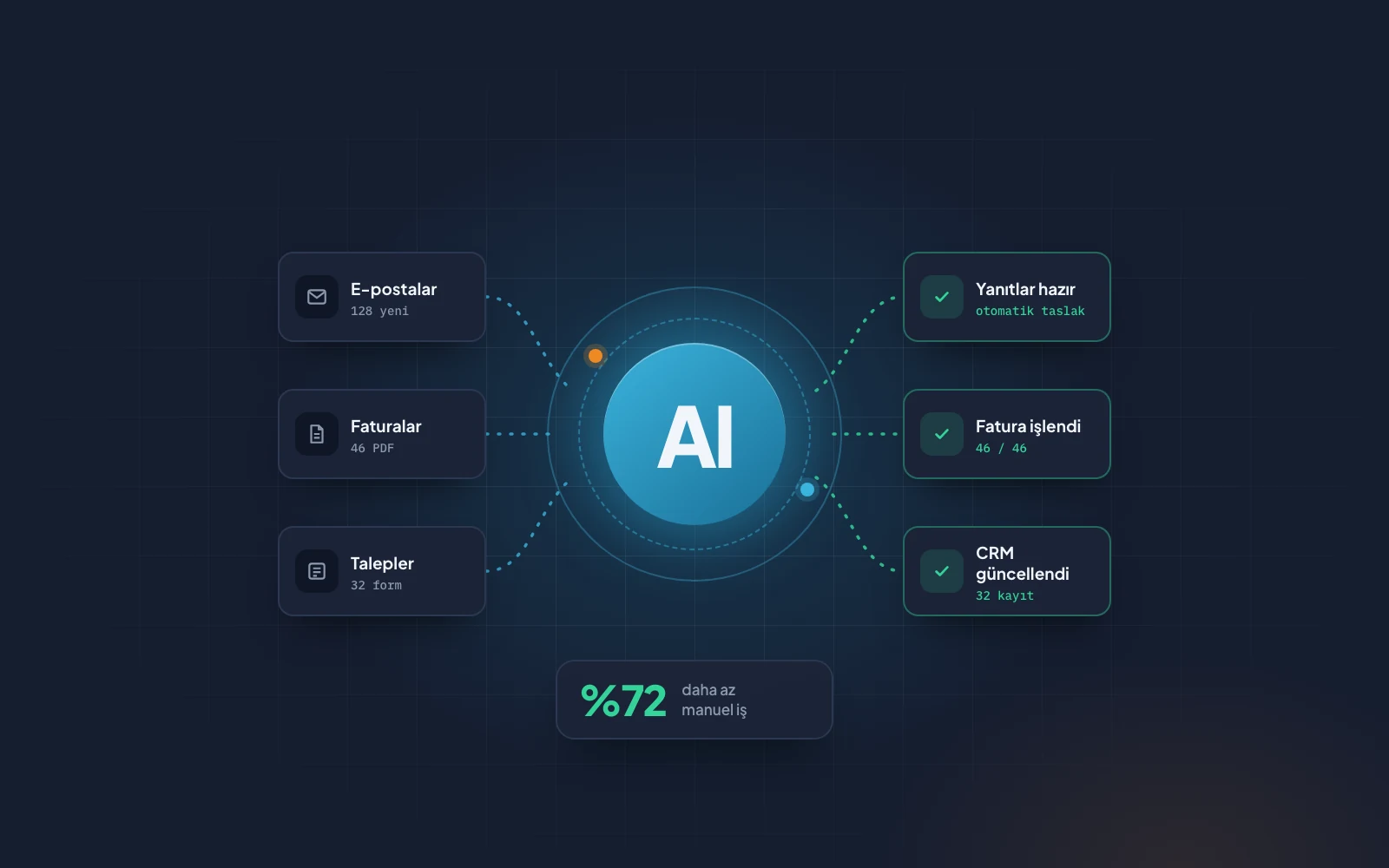
- Document management: Extracting data from formats such as email, PDFs and forms.
- Operational processes: Reporting, alert flows, standard task assignment.
Practical Business Scenarios
- Scenario 1 – Ecommerce business: Products are automatically categorized using data received from the supplier, and basic description drafts are created. The final review is done by a person.
- Scenario 2 – Tourism company: Requests coming in through the web form are classified with AI, assigned to the operations team and automatically recorded in the CRM system (ERP and CRM Software Development). Human approval is required depending on the case.
- Scenario 3 – B2B sales company: The text in quote requests is analyzed, customer data is organized and a task is assigned to a sales rep. The model makes suggestions; the final check stays with a person.
- Scenario 4 – Accounting and operations team: Fields are extracted from incoming invoices or order documents, the data is prepared for checking and authorized staff review it.
In every scenario, the advantage of automation is that the process speeds up while human oversight keeps it safe. Technical limitations include the variety of data, model accuracy and integration capabilities.
AI-Powered Customer Service
- Chatbot integration in live chat or ticketing systems delivers fast, consistent answers.
- Support requests are automatically categorized and assigned to the right specialist.
- Suggested answers can be offered from the knowledge base.
- More complex requests are automatically routed to a human agent.
- Critical requests require human approval or feedback.
AI Automation in CRM and ERP Systems
AI integration in enterprise software is often used in steps such as:
- Automatically classifying customer and user records
- Prioritizing sales opportunities or requests
- Quickly preparing report summaries or status analyses
- Turning incoming documents (invoices, contracts, etc.) into data and triggering workflows
- Improved workflows and process tracking
For more information, see our ERP and CRM Software Development page. You can also find detailed information in our articles What Is CRM? What Does CRM Software Do? and What Is ERP? What Does ERP Software Do?
AI Automation in Ecommerce
- Automatically drafting product descriptions
- Categorizing customer questions and reviews
- Standardizing catalog data entry
- Tagging, content checks and assigning the right category
- Generating automatic operational reports
You can find more information about these processes on our Ecommerce Software Development page.
Document and Data Processing Automation
- Automatically extracting information from invoices, orders, emails or PDF documents
- Transferring the extracted information into the system and validating it
- Safeguarding sensitive processes with data checks and human approval
In projects like these, API and system integration, security design and involving employees in the process are all very important.
What Are AI Agents? Differences and Limits
AI agents are software that can independently carry out multi-step work toward a specific goal and analyze new data when needed. What sets them apart from regular automation is that they should be able to move between tasks on their own and check whether they've succeeded, and their boundaries must be clearly defined. Granting unlimited permissions can be risky for security and quality of work, so their permissions and task scope need to be designed carefully.
Why Do API Integrations Matter?
These automations often require many pieces of software and systems to exchange data with one another securely. APIs make it possible to integrate models with ERP, CRM, web applications or email systems. The success of these integrations depends on the technical capacity of the systems, API access permissions and security protocols. You can find the details in our API and System Integrations section.
How Should Businesses Get Started with AI Automation?
- Process analysis: Examine the data, workflow and human input of candidate processes for automation in detail.
- Choose suitable scenarios: Clarify which tasks require AI and which don't.
- Data preparation: Ensure the data used in the process is accurate, secure and accessible.
- Pilot: Start with a pilot automation in a small process first.
- Testing and validation: Check the outputs and add human oversight where needed.
- Rollout: Expand the automation after a successful pilot.
- Performance tracking: Monitor the impact and review it periodically.
For process automation projects, take a look at our Business Process Automation page.
Off-the-Shelf Automation Platforms or Custom Software?
Off-the-shelf automation platforms offer quick setup and cost advantages for specific use cases. However, you may hit limits on flexibility, custom workflows and internal integrations. Custom software, on the other hand, can be tailored to your unique requirements and provides large-scale integration and data control (Custom Software Development). When choosing, it helps to weigh business volume, technical capacity, security and long-term maintenance needs.
What Determines the Cost?
- The AI model used and its features
- API and integration fees
- The volume and format of the data to be processed
- The complexity of setup and integration with existing systems
- Server and hosting costs
- Maintenance, technical support and security requirements
Every project should be evaluated based on its needs and the scope of the business processes involved.
Security and KVKK in AI Automation
Projects in Turkey must also comply with KVKK (Turkey's Personal Data Protection Law):
- Data minimization and access control should be applied when processing personal and sensitive data
- Permission and authentication processes should be clearly defined in integrated systems
- Steps that require human approval should be defined to ensure output accuracy
- Data retention and encryption measures should be in place when using third-party services
- Audit trails and logging mechanisms should be set up
Common Mistakes in Automation Projects
- Starting automation without analyzing whether the process is suitable
- Using insufficient or poor-quality data
- Setting unmeasurable or vague goals for the project
- Overcomplicating the project with unnecessary technology and integrations
- Leaving automated decisions unchecked
- Ignoring system maintenance and update requirements
Frequently Asked Questions
- Is AI automation right for every business?
It's worth choosing if, after analyzing your needs, you find points in your processes that genuinely require flexibility or intelligent analysis. - How is it integrated with enterprise software and existing systems?
It can be integrated with your existing CRM, ERP or other applications through data sharing over APIs with the necessary permissions (API integration). - Does it eliminate the need for people entirely?
AI automation doesn't take people out of the loop completely. It works best alongside human oversight. - How long does an automation project take?
It depends on the scope of the process, integration needs and data preparation. Every business ends up with a different timeline. - How are data security risks prevented?
Security is strengthened through steps such as limiting permissions, encrypting data, keeping logs and applying human checks. - We don't have a data infrastructure yet. Is automation still possible?
First, data needs to be collected and structured. After that, you can move to digital automation step by step.
Conclusion and Roadmap
AI automation can help businesses make use of data faster, digitize repetitive tasks and manage processes sustainably. However, whether AI is really needed for each process should be carefully analyzed, and integration methods should be chosen to match your existing system infrastructure and data security requirements.
At Hun Digital, you can explore the best support options for your project on our AI and Automation Solutions and Business Process Automation pages. Reach out to us for a technical analysis and sound integration steps toward the right automation journey.
Author
Enes Şahin
Writes on the Hun Digital blog