
There is no fixed price for custom software projects, and no one-size-fits-all pricing that applies to every project. The most important factor in setting the budget is a detailed analysis of what your business actually needs. Every project has a different scope, and the cost of software development becomes clear based on that scope. In this article, we explain the main factors that affect price for anyone looking to commission custom software, the cost structures of different types of software and the key points for positioning the project correctly.
Custom Software Pricing: Which Factors Determine the Budget?
"Custom software pricing" is shaped by the project's various components, such as its modules, user roles, technical requirements and integrations. When the scope isn't fully defined or keeps changing, managing the estimated cost becomes difficult. The main factors that affect price are:
- Project scope and functional requirements
- Number of modules and users
- Interface design and usability
- API integrations between systems
- Database architecture and growth potential
- Target devices and platforms: web, mobile or both
- Security and regulatory compliance requirements
- Testing, maintenance and support processes
- Licensing and third-party software costs
- Server, hosting and infrastructure expenses
1. Number of Modules and Users
The core modules a piece of software will have and the number of concurrent users directly affect development time and budget. To take the simplest example, a wholesale business that needs only an order tracking module will have a lower budget than one building an ERP with multiple roles and functions. As the number of users grows, additional work may be needed on access rights, performance and user interfaces.
2. Interface Design and Usability
Developing interfaces that put user experience first and work on both mobile and desktop expands the scope. For a service company that wants a comprehensive customer management system, designing the admin panel, user logins and reporting screens is a significant budget item. Designs tailored to your brand identity, revisions and details such as animations are all reflected in the cost.
3. API and System Integrations
When API and system integrations are required with an existing ERP, accounting program or third-party SaaS tools, time and effort increase for each system to be integrated. For example, a tourism business that wants a booking platform will have its need to connect to different hotel or booking portals assessed as a separate budget item.
4. Database Architecture and Infrastructure
In projects that will store large volumes of data and need scalability, database design requires deeper planning than standard applications. The effort spent on backup, performance and security scenarios, as well as server optimization, is added to the initial budget.
5. Differences Between Web and Mobile Platforms
Costs differ between a web application, a desktop application and a mobile app. There is a big difference between developing for a single platform and building responsive, native apps for multiple platforms. For mobile development needs, take a look at our Mobile App Development service.
6. Security, Testing and Documentation
Authentication, personal data protection, legal compliance, attack prevention and security layers can increase the total cost, especially in projects involving financial transactions. Software testing at every stage, regulatory compliance and detailed documentation each form a separate budget item.
7. Maintenance, Updates and Licensing
Once the software goes live, the maintenance phase begins, covering updates and bug fixes. If open-source software is used, there are usually no additional license fees, but third-party libraries or SaaS service integrations can create extra costs. Learn more about our maintenance, updates and technical support services.
8. Server and Infrastructure Expenses
The server infrastructure the software will run on is shaped by user load and performance requirements. Factors such as cloud-based solutions, on-premises server investments and traffic volume all affect the total software project budget.
Cost Strategies by Software Type and Industry
The cost structure varies with the type of software and its intended function. Here are some example scenarios (entirely hypothetical and for illustration only):
- Order Tracking System for a Wholesaler: Includes a basic order entry and reporting module, permissions and inventory tracking.
- Booking Platform for a Tourism Business: Requires different user roles, an online calendar, integration with external booking sites and mobile support.
- Customer Management for a Service Company: Offers a CRM module, sales and communication history, task management and analytics reports.
In each example, project scope, integration requirements and user structure make the cost different. The core structure of ERP, CRM, ecommerce and SaaS applications is determined by similar criteria. Explore different software structures on our web application development and ecommerce software development pages.
Comparing Cost Items by Project Type
- Corporate Web Application: Includes standard modules, basic user management, automation and reporting; usually web-based.
- ERP: Requires complex business processes, many modules and users, plus detailed integrations.
- CRM: Built around customer, communication and sales processes, with role-based access and data security at the forefront.
- Ecommerce: Covers sales, payment and inventory processes; usually handles high traffic and works with payment systems.
- SaaS: Requires recurring subscriptions, scalability, multi-organization support, advanced infrastructure and security.
- Mobile App: Android/iOS support, notification infrastructure, offline scenarios and API needs come to the fore.
How Can You Define the Project Scope and Set Your Budget?
A successful software project requires the scope of work to be clarified from the very beginning. The steps for defining the project scope are:
- List your business processes and the core functions you need.
- State why you need each module and feature.
- Define user types and roles (manager, staff, customer, etc.).
- Write down which systems (ERP, accounting, email, etc.) will need to be integrated.
- Separate the priority functions you need from additional features that can wait.
The MVP (Minimum Viable Product) approach lets you develop only the core functions in the first phase and helps keep the initial software development budget under control. You can start by defining your needs and narrowing the scope; priority modules can go live quickly. Get consulting for your custom software development needs.
Getting Quotes: Requirements List and Key Considerations
When talking to multiple software companies, it's important to prepare a requirements document so that quotes are comparable and transparent. Include the following in this document:
- A detailed description of each module and function
- User roles and permission levels
- Expected integrations and external connections
- Sample references if you have specific design requests
- Budget limit and target delivery date (if any)
Missing information can cause costs to rise in later stages. Communicating every step clearly ensures that quotes are realistic and comprehensive.
Hidden and Common Extra Costs
Software projects often involve items that weren't anticipated at the start:
- Data migration and transfer from legacy systems to the new system
- Additional modules or features requested later (scope creep)
- Additional license or integration fees (SMS, email, external APIs, etc.)
- Additional users or role changes
- Performance and security improvements
- Unexpected maintenance/incident requests
Putting these items on the table before the quote makes your software project budget easier to manage in the long run.
Off-the-Shelf vs. Custom Software: Cost and Suitable Scenarios
Off-the-shelf software solutions are usually more economical upfront and can be put to use quickly. However, if you have needs specific to your business or industry, custom software may be more advantageous for a full fit with your processes and long-term use. Off-the-shelf packages create extra costs through monthly/annual subscriptions or license fees, while custom software may involve a one-time license or ongoing maintenance.
Frequently Asked Questions (FAQ)
- Why isn't custom software pricing fixed?
Every business has different needs, and development time, modules and functions that require integration change the price. Since standard price lists can't offer a general solution, the budget is determined by a needs analysis. - What information do I need when requesting a quote?
A detailed requirements document covering the project's modules, user roles, expected integrations and number of users is enough for an accurate quote. - Who owns the source code?
It can vary by project; it's recommended to state it explicitly in the contract. Every software company has its own terms on this. - How are maintenance, update and technical support fees structured?
Processes that require maintenance or updates for the live software system are priced separately. For details, see here. - How does the payment plan work?
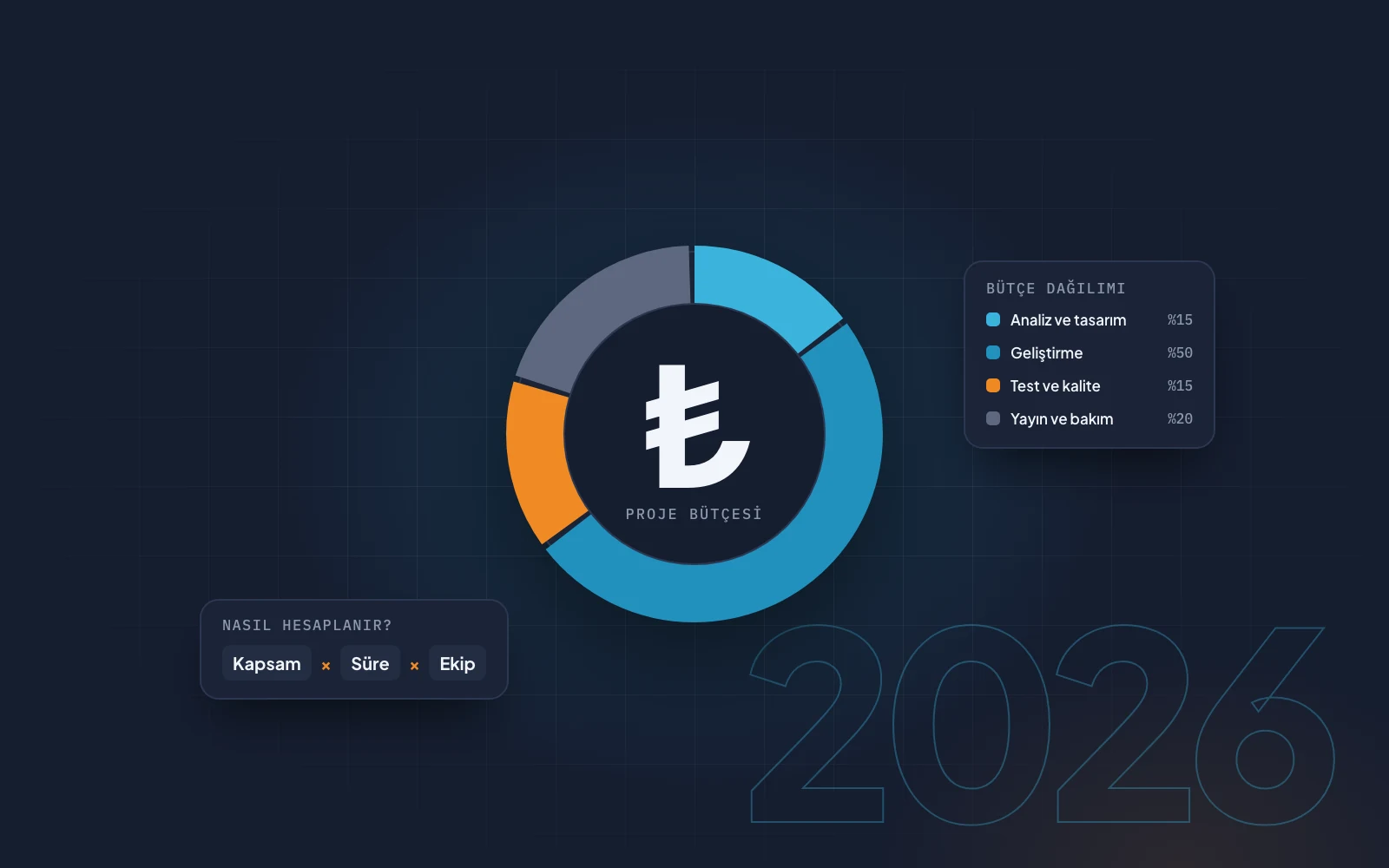
Custom software projects usually have a staged payment plan divided into analysis, development and delivery; the details are finalized during the quote. - Is off-the-shelf or custom software a better fit?
It depends on budget and needs. Off-the-shelf software can be low-cost for standard business processes, but for unique, growing needs, a custom software investment pays off in the long run.
Conclusion
To get a clear price when commissioning custom software, you need to define your project scope correctly, make quotes transparent and plan all cost items from the start. We'd be glad to support you with our custom software development experience. If you'd like consulting and analysis tailored to your needs, get in touch with us today.
Author
Enes Şahin
Writes on the Hun Digital blog