
Having a mobile app built is one of the most effective ways for today's businesses to strengthen customer relationships and digitize their processes. However, app development costs and the process itself raise questions for most entrepreneurs. In this guide, we clarify mobile app pricing and every detail you need to know before starting a project.
What Does Having a Mobile App Built Mean?
Having a mobile app built means that a business or entrepreneur creates software with brand-specific functionality that runs on smartphones and tablets. Businesses partner with software companies for different needs that call for mobile solutions, such as ecommerce, bookings, customer management, corporate operations or a new business model.
Mobile App Development Cost 2026: Why Isn't It Fixed?
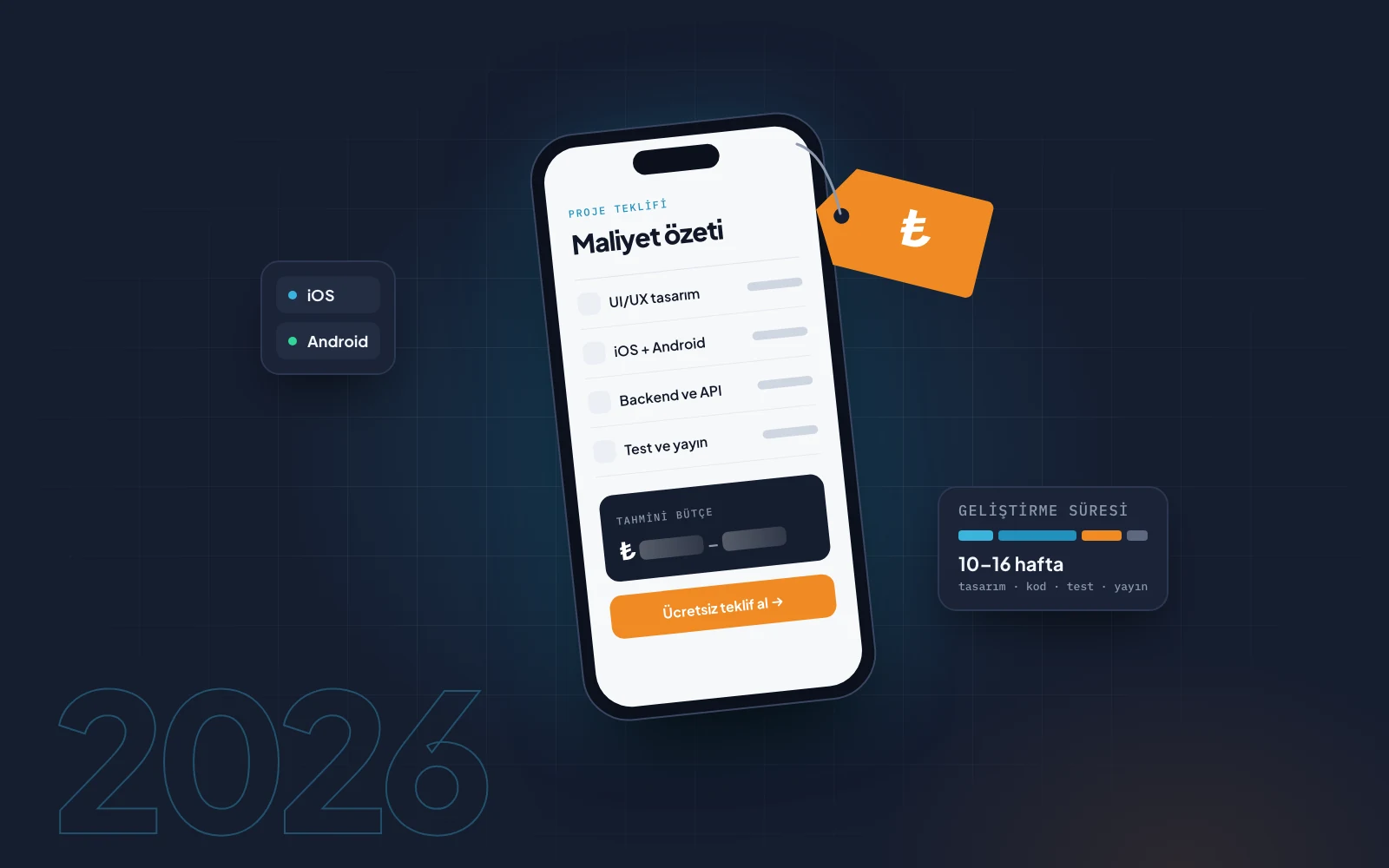
Mobile app development pricing varies depending on many technical and operational variables. Complex features, the scope of the app, target platforms (Android, iOS), user roles, custom interfaces and integrations directly affect the price. Since every project is unique, a requirements-based evaluation is made instead of a fixed price list.
Key Factors That Affect Mobile App Pricing
- Number of Screens (Pages): How many different screens and functions the app will have is a deciding factor.
- Design and UI/UX: The difference between off-the-shelf templates and custom design directly affects cost and user experience.
- User Roles: Different access levels such as admin, customer and employee bring extra development work.
- Backend (Server) Development: The need for server-side software where data is stored and processed is a major cost item.
- API and System Integrations: Custom connections are needed for the app to communicate with systems such as existing websites, ERP or CRM. API and system integration comes to the fore at this stage.
- Data Management: Managing users, content or orders from a central panel is a separate development effort.
- Payment Systems: Card or alternative payment integrations bring additional technical requirements, security above all.
- Notifications: Integration with push notification services is required for instant alerts and updates.
- Security: Data protection, user authentication and restrictions require extra planning.
iOS vs. Android App Development: What Are the Differences?
Swift and Objective-C are used for iOS apps, while Kotlin and Java are used for Android apps. App Store requirements apply on iOS, and Google Play policies apply on Android. Each platform has its own simulators and real-device testing for development and testing. In addition, platform-specific schedules are set for updates and maintenance.
Mobile App Development with Flutter
Flutter is a comprehensive cross-platform software technology developed by Google. Both iOS and Android apps can be built from a single codebase. It offers advantages especially for rapid prototyping, short-term projects or businesses that want to optimize costs. However, native development may be preferred for projects that need full access to certain advanced device features or high graphics performance. Depending on your project's needs, Flutter can be considered as part of your Mobile App Development process.
Native or Cross-Platform?
Swift, Kotlin and Flutter Approaches
- Native Development: Built with the platform's own language (Swift, Kotlin). Provides high performance and full access to device features. Preferred for comprehensive projects.
- Cross-Platform: With technologies such as Flutter, apps that run on both iOS and Android can be built from a shared codebase. Maintenance and updates become easier.
The approach you choose depends on your performance requirements, development timeline, budget and long-term maintenance plans.
Native vs. Flutter: A Comparison
| Criterion | Native (iOS/Android) | Flutter (Cross-Platform) |
|---|---|---|
| Development Approach | Separate codebases | Single codebase |
| Platform Support | Target platform only | iOS and Android |
| Upfront Cost | May be higher depending on project scope | Usually lower |
| Performance | High | Sufficient for most apps |
| Device Features | Full access | Limited; plugins may be needed |
| Maintenance/Updates | Separate for each platform | Fast with shared code |
| Development Team | iOS and Android specialists | Flutter developer |
| Scalability | Broad; ideal for complex projects | Suitable up to a certain scale |
The suitability of each approach should be evaluated against the app's technical and commercial requirements.
How Does the Mobile App Development Process Work?
- Needs Analysis: Business goals and technical requirements are defined in alignment.
- Scoping: The screens, user roles and core functions to be included are clarified.
- UI/UX Design: User experience and interface designs are created, and the app's flow is planned.
- Software Development: The coding phase of the mobile app begins; native or cross-platform development is carried out as chosen.
- Backend and Integrations: Connections are built with the server, APIs and any existing systems. For details, see our Custom Software Development and API & System Integrations services.
- Testing: The app is checked on all screens and devices to make sure it works without errors.
- Publishing: The submission and publishing process is managed in line with App Store and Google Play requirements.
- Maintenance and Support: Updates, data security and performance monitoring are carried out periodically. Technical support is important at this stage.
What Is an MVP and How Does It Affect Cost?
An MVP (Minimum Viable Product) is a version of the project that includes only its most essential features and can be brought to market quickly. It's a practical way to lower the app's initial investment cost and get to market fast. The product development cycle becomes more effective with feedback, so resources are used more efficiently.
Cost Differences by Mobile App Type
- Ecommerce App: Includes order, product and customer management, integrated payment systems and inventory tracking. It is also supported by campaign and notification infrastructure.
- Booking and Operations App: On tourism or event-focused platforms, user bookings, dynamic pricing, an admin panel and notification mechanisms come to the fore.
- Corporate App: Includes employee task tracking, notifications, timekeeping and leave processes, integrated reporting and user roles.
- SaaS Apps: Require subscription management, cloud-based services and multi-user management. For more information, see our SaaS Software Development service.
Three Scenario-Based Examples
- A business with an online store wants a dedicated ecommerce app for its customers. Orders, product details, favorites, campaign notifications, payment and delivery tracking are defined as the core features. Products and orders are monitored through an admin panel.
- A company active in tourism wants a mobile app to manage user booking requests and operational processes. Booking screens, calendar integration, instant notifications, user management and pricing are added to the project as needed.
- An SMB-level company requests a corporate mobile app to manage tasks, notifications and leave for all its employees. Various user roles, task lists, reporting and notification infrastructure all have an impact on cost.
Admin Panel and Backend in Mobile Apps
A web-based admin panel is essential for effective app management. User permissions, content/request management, bookings, orders, notifications, reporting and API connections are all controlled here. For the technical infrastructure, take a look at our Web Application Development and Admin Panel Development services.
Publishing an App on the App Store and Google Play
To publish your app in the stores, you need to create a business account and keep up with each platform's current requirements. Submission and review processes involve compliance with technical criteria, design guidelines and privacy policies. Business account fees, updated documentation requirements and testing steps should be confirmed on Apple's and Google's official developer pages. Release management and feedback processes require regular follow-up.
Additional and Ongoing Costs of a Mobile App
- Server and Database: Required to store user and transaction data securely.
- Third-Party Services: Integrations such as SMS, payments, maps and notifications may require monthly/annual licenses.
- Maintenance and Support: Requires bug fixes, security updates and long-term upkeep. Maintenance and support services may be needed at this stage.
- Updates: Planned regularly for both technical and functional improvements.
- Store Account Fees: Keep track of the current costs of App Store and Google Play business accounts or developer programs.
Additional costs can range from technical maintenance to Legacy Software Modernization or operational processes.
What to Look for When Having a Mobile App Built
- Source Code and Intellectual Property: Clarify code ownership and usage rights in the contract.
- Technical Documentation: Make sure the code structure, data flow and APIs are clearly documented.
- Privacy and Data Protection: Compliance with current regulations such as KVKK (Turkey's Personal Data Protection Law) and GDPR is essential, especially for apps that collect personal data.
- Contract Terms: Ask for the project scope, delivery and maintenance processes to be written in detail in the contract.
- Testing and Support Processes: Clarify in advance how functional and security testing will be carried out. Define the scope of technical support.
How Do You Get a Mobile App Quote?
To get an accurate quote:
- Define your business model's target audience and core functions.
- List the screens you want to show and the user roles.
- Clearly write down your web, mobile and integration requirements.
- Share any additional modules such as payments, notifications or reporting.
- Ask for references similar to your app to ensure transparency.
Clarifying your project scope is necessary for an accurate cost analysis. For comprehensive software work, take a look at our Custom Software Development solutions, or our API and System Integrations solutions for different modules.
We also covered key topics in our blog post Custom Software Development Cost 2026.
Frequently Asked Questions
- Is it possible to find out the cost of a mobile app early? Once the core functions, platforms and specific needs are defined, a software company can share an approximate estimate.
- Should an admin panel be included? For apps that require user, content or order management, an admin panel makes operations easier and is often necessary.
- Web app only, or a mobile app? If your target audience uses only desktop or only mobile devices, you should plan your choice based on that data. For some projects, a web app alone or an off-the-shelf solution may be suitable.
- Does using an off-the-shelf app platform lower the cost? Yes, for some business areas, off-the-shelf solutions can offer lower costs and faster delivery than custom development. However, customization options may be limited.
- Will my idea be shared with others? You can request protection through intellectual property rights and confidentiality agreements.
- Does having a mobile app built guarantee sales? No; developing an app alone doesn't guarantee success or increased efficiency. Marketing and operational investments are also needed.
Conclusion: Having a Mobile App Built and the Right Approach
The cost of having a mobile app built can be calculated accurately once your target audience, the app's technical features, your platform choice, integration needs and maintenance requirements are clear. When you plan your app project with a clear scope, both process and budget management become easier.
For a sustainable, effective mobile app that fits your business, choose Hun Digital's Mobile App Development service. Feel free to call us anytime you have questions.
Author
Enes Şahin
Writes on the Hun Digital blog